




FAQs
Mydoh is a digital app with a Smart Cash Card that helps kids learn and practice money management, while giving parents transparency and oversight. We believe that money conversations need to start early and Mydoh helps make the process easy and fun!
Here’s how it works:
1. The platform
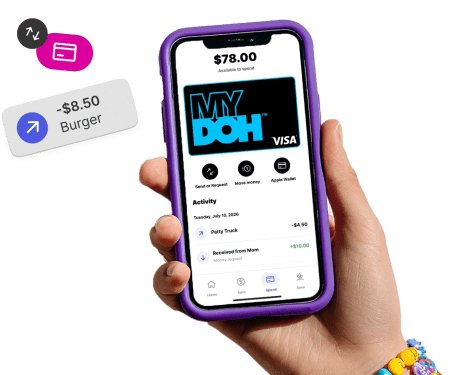
Mydoh encourages kids (with a little help from their parents) to build better money habits. The in-app Smart Cash Card makes it easy to track in-store and online transactions.
2. Parents
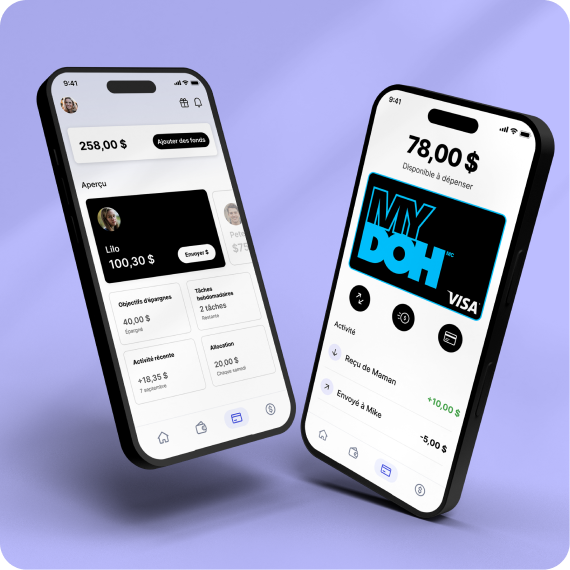
Mydoh provides parents with oversight: Fund your kid’s card, view their balance and spending activity, react and start conversations, teach the value of earning through chores – all in real time.
3. Kids
Mydoh makes it easy for kids to track their spending using the Mydoh Smart Cash Card. They can see their household chores, get paid on Pay Day and even get reminders!
The Mydoh Smart Cash Card is a reloadable digital and physical Visa Prepaid Card for kids, issued by Royal Bank of Canada. This means there is no interest rate charged or risk of debt, since kids can only spend the money that is available on their card’s balance which their parent’s provide.
Parents can send money to their kids’ Mydoh Smart Cash Card through the app, up to the allowable limits. Kids can use the card to make purchases online, and/or in-store with their physical card or with Apple Pay. All purchases are subject to allowable limits. Mydoh is currently available on iOS for iPhone 6 or later, with version 10.3 or newer and Android phones with Version 8.0 or newer. The Smart Cash Card cannot be used with Google Pay and Samsung Pay at the moment. A few additional details about the Mydoh Smart Cash Card:
- Card balance is available on the app header next to the profile picture. Funds are not CDIC insured.
- Card terms and conditions are available at: www.mydoh.ca/rbc-terms.
- For specific questions about card terms and conditions, please call 1-888-696-9364.
- The card is reloadable.
- Funds on the card do not expire. Your card expires at the end of the month of the expiry date associated with your card. The remaining balance on your original card will be placed on your new card at no additional cost.
After you have invited your kids to Mydoh, they can activate their account by following these steps:
- Help your child download Mydoh from the Apple App Store or Google Play Store.
- Select ‘Child Sign Up’.
- Enter their invite code or use the link in their activation email to confirm the account.
- Confirm their personal details, create a password, and agree to the terms.
There you go, your kids will be ready to start earning and spending with their Mydoh Smart Cash Card!
Note: Kids can only use the app when they have been invited by a parent.