
Key takeaways
- The most important thing isn’t what happened — it’s what you do next. Fast action can seriously limit the damage.
- Stop contact with the scammer, save all evidence, and change your passwords right away. Every minute counts.
- Different scams call for different responses — money, login info, personal details, and gaming accounts each have their own steps.
- Report your scam to the Canadian Anti-Fraud Centre — it helps protect others and supports investigations.
- No legitimate organization can guarantee recovery of lost money. Be cautious of anyone who promises otherwise.
- Kids are more likely to speak up when they know they won’t be punished for it. Focus on solutions, not blame.
Introduction
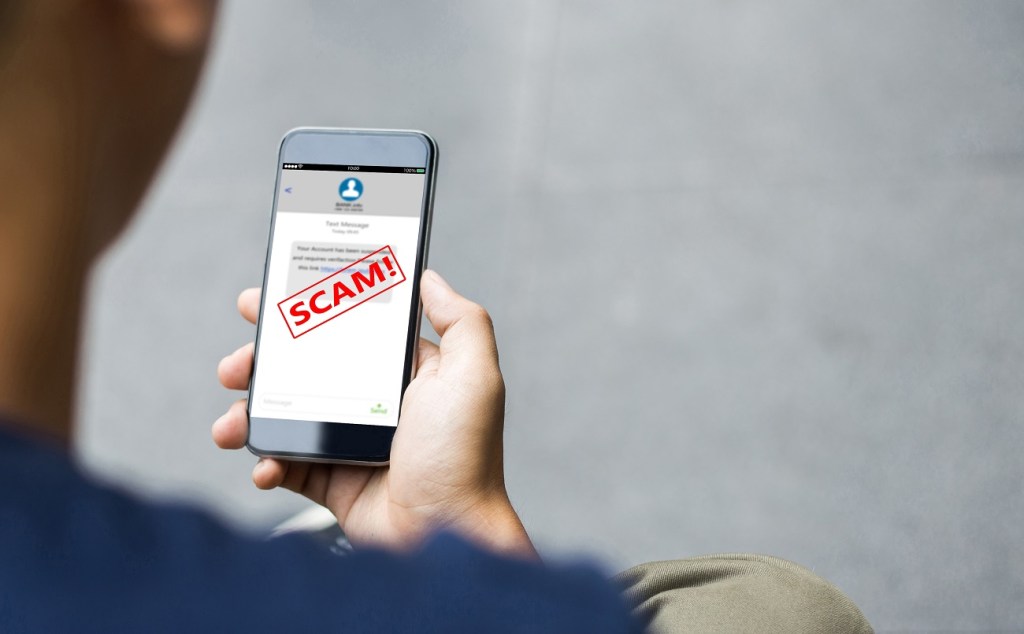
Online scams happen every single day. And unfortunately, as technology evolves and gets smarter, so do scammers. Many are getting so advanced that even the most tech-savvy kids and adults can get caught off guard. If you or your child clicked a suspicious link, got tricked in an online game, or accidentally sent money to someone who turned out to be a scammer, you’re not alone — and you’re definitely not the first.
But here’s the thing: getting scammed isn’t the end of the story. What matters most is what happens next. This step-by-step guide walks families through exactly what to do, so you can act quickly, protect what matters, and move forward with confidence.
First: don’t panic
We know — it’s easier said than done. If you just realized you’ve been scammed, your first instinct might be to panic or feel embarrassed. That’s completely understandable. But taking a breath and thinking clearly right now is the most powerful thing you can do.
You’ve got this. Getting scammed is not your fault. Scammers are professionals at manipulation. Your focus now is on taking action, not assigning or assuming blame. Quick action can help reduce the impact significantly.
Whether you’re a teen who got tricked in an online game, or a parent who just discovered your child sent money to a stranger, this is a moment to come together as a team. You’ll figure it out together.

Your immediate action checklist
Time matters here. The sooner you move through this checklist, the better your chances of limiting any damage. Work through each step as soon as possible.
- Stop all contact with the scammer. Don’t reply, don’t send anything else, and don’t follow their instructions. Cut the line completely.
- Save all the evidence. Screenshot everything — messages, emails, usernames, transaction records. Don’t delete anything yet.
- Tell a trusted adult or parent. If you’re a kid or teen, loop in a parent or guardian right away. This isn’t a conversation to have alone.
- Change your passwords immediately. Start with the compromised account, then update any other accounts using the same password.
- Turn on two-factor authentication (2FA). Add an extra layer of security so that even if someone has your password, they can’t get in.
- Check your recent account activity. Look for anything unusual — logins from new devices, transactions you don’t recognize, or changed settings.
- Contact your financial institution if money was involved. Contact your bank or app right away. Ask about your options and next steps — the sooner, the better.
- Report the scam. File a report with the Canadian Anti-Fraud Centre. It takes a few minutes and helps protect others.
What to do based on the type of scam
Not all scams are the same, so your next steps depend on what actually happened. Here’s a breakdown by scam type so you know exactly where to focus your energy.
If money was sent
- Contact your bank or financial institution right away
- Ask about transaction options and next steps
- Monitor your account activity daily
- Keep all receipts and records of payment
If login credentials were shared
- Change that password immediately
- Update passwords on any accounts using the same one
- Enable two-factor authentication right away
- Check account activity for any unauthorized changes
If personal information was shared
(Examples: name, address, phone number, email address)
- Monitor your accounts closely for unusual activity
- Watch for suspicious calls, texts, or emails
- Be alert to follow-up scam attempts — they’re common
- Let a parent know so they can monitor too
If a gaming account was compromised
- Contact the game or platform’s support team directly
- Review your account activity and recent purchases
- Change your credentials right away
- Remove any devices or accounts you don’t recognize
Important: No legitimate organization can guarantee recovery of lost money. If someone reaches out offering to help you “recover” funds from a scam for a fee, that’s likely another scam.
How to report a scam in Canada
Reporting a scam isn’t just about you, it’s about protecting the next person. When you file a report, you help authorities track patterns, shut down fraudsters, and potentially support ongoing investigations. It takes just a few minutes, and it genuinely makes a difference.
Canadian Anti-Fraud Centre (CAFC)is Canada’s primary resource for reporting scams and learning about current fraud trends. Report online or by phone.
Get Cyber Safeis the Government of Canada’s hub for cybersecurity awareness and scam-prevention tips that’s designed for families.
Competition Bureau Canada – Fraud & ScamsReport marketplace fraud and deceptive practices that may involve businesses or financial products.
Contact Local Police, if significant money was lost or you believe a crime has occurred. They can guide you through next steps.
How to protect yourself going forward
The steps below empower you to build vigilant online habits that help deter scammers:
- Use strong, unique passwords for every account. A good password is long, random, and not used anywhere else.
- Try a password manager — it remembers all your passwords securely so you don’t have to, and you can generate strong new ones instantly.
- Enable two-factor authentication on every account that offers it. Even if your password is compromised, 2FA keeps scammers out.
- Always verify links before you click. Hover over them to see where they actually lead. If it looks off, don’t click.
- Review your privacy settings on social media and gaming platforms. Keep your profile information as private as possible.
- Talk openly about suspicious messages. If something feels weird — a “free” prize, an “urgent” request, or a stranger being way too friendly — bring it up at home.
- Learn to recognize scam warning signs. Pressure tactics, requests for gift cards, deals that seem too good to be true — these are red flags to watch for every time.
For parents: talking to your kids about being scammed
How you respond in the first few minutes sets the tone for everything that follows. Kids are more likely to come to you in the future if they feel supported rather than punished. Here’s some tips for parents that can help guide the conversation.
- Stay calm and reassuring. Lead with “I’m glad you told me” — not “how did you let this happen?”
- Focus on action, not blame. Work through the Fraud action checklist together as a team.
- Explain what happened in age-appropriate terms. Older teens can understand more context; younger kids need simple, clear steps.
- Use it as a teaching moment, not a punishment. Building awareness now sets them up for safer habits for life.
- Keep the conversation going. Make it normal to talk about suspicious messages, weird online interactions, and digital money decisions at home.
You’re more prepared than you think
Online scams are frustrating, scary, and sometimes costly. But they’re also manageable, especially when families respond quickly and work together. The steps in this guide won’t just help you recover; they’ll help you build lasting habits that make you and your kids more scam-savvy going forward.
Mydoh is here to help families build real financial confidence — the kind that comes from hands-on experience, open conversations, and the right tools. Because knowing what to do when things get tricky? That’s one of the most valuable skills you’ll ever have.
Online scams can be stressful, but they can also create opportunities for important conversations about money, technology, and online safety. Mydoh helps families have those conversations every day, with real tools and real-world experience built right in.
Download the Mydoh app to help kids and teens build confidence to manage their money and grow to become financially independent.
This article offers general information only and is not intended as legal, financial or other professional advice. A professional advisor should be consulted regarding your specific situation. While the information presented is believed to be factual and current, its accuracy is not guaranteed and it should not be regarded as a complete analysis of the subjects discussed. All expressions of opinion reflect the judgment of the author(s) as of the date of publication and are subject to change. No endorsement of any third parties or their advice, opinions, information, products or services is expressly given or implied by Royal Bank of Canada or its affiliates.